
Finderで作業していて、ふとターミナルで操作をしたい時もあります。
フォルダがある程度ネストしていると、iTerm2(ターミナル)を開いてcdするのも大変です。
Automatorを使って一発でFinderから対象のフォルダをiTerm2で開くアプリを作りましょう。
AutomatorでFinderからTerminalを開くアプリを作る
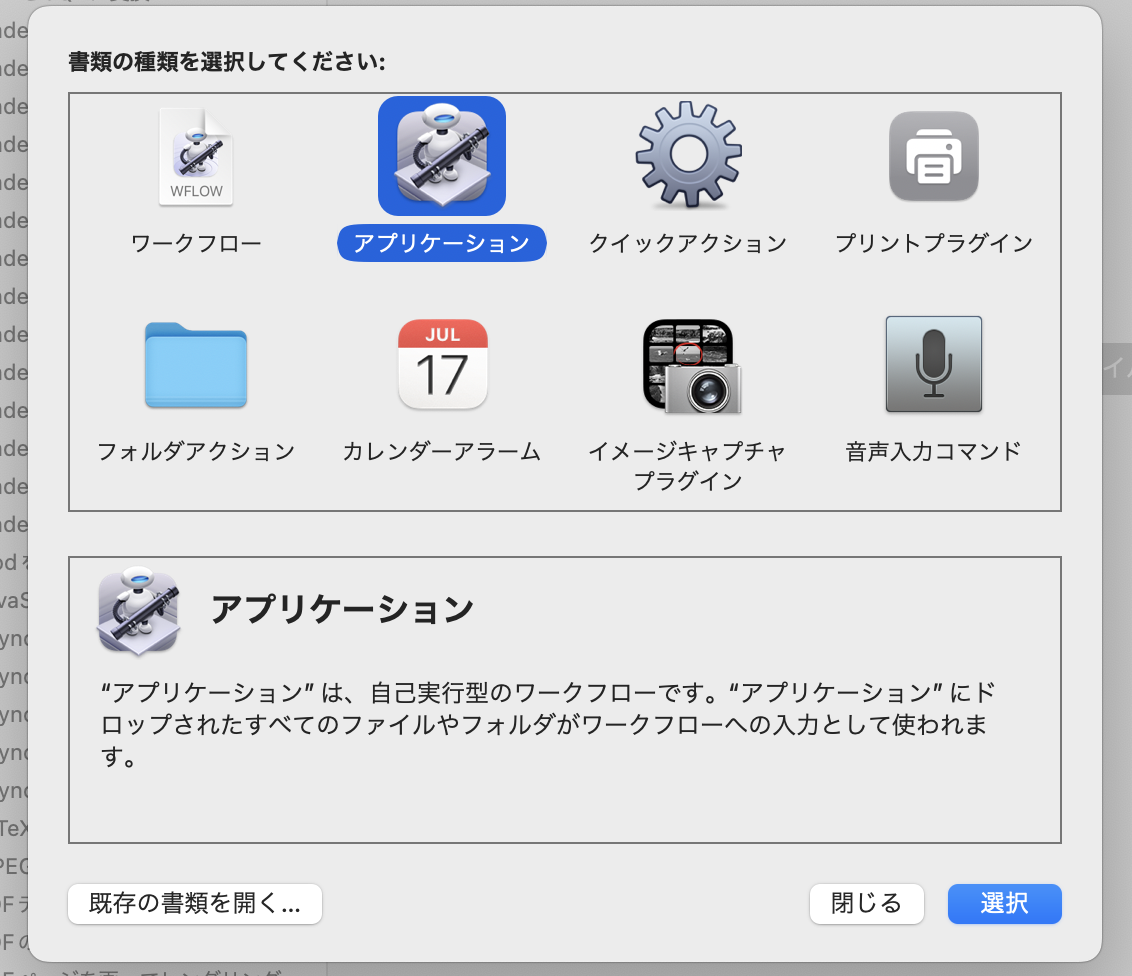
Automatorを起動して、「アプリケーション」を選びます。
検索欄で「App」と入力して表示された「AppleScriptを実行」をダブルクリックします。
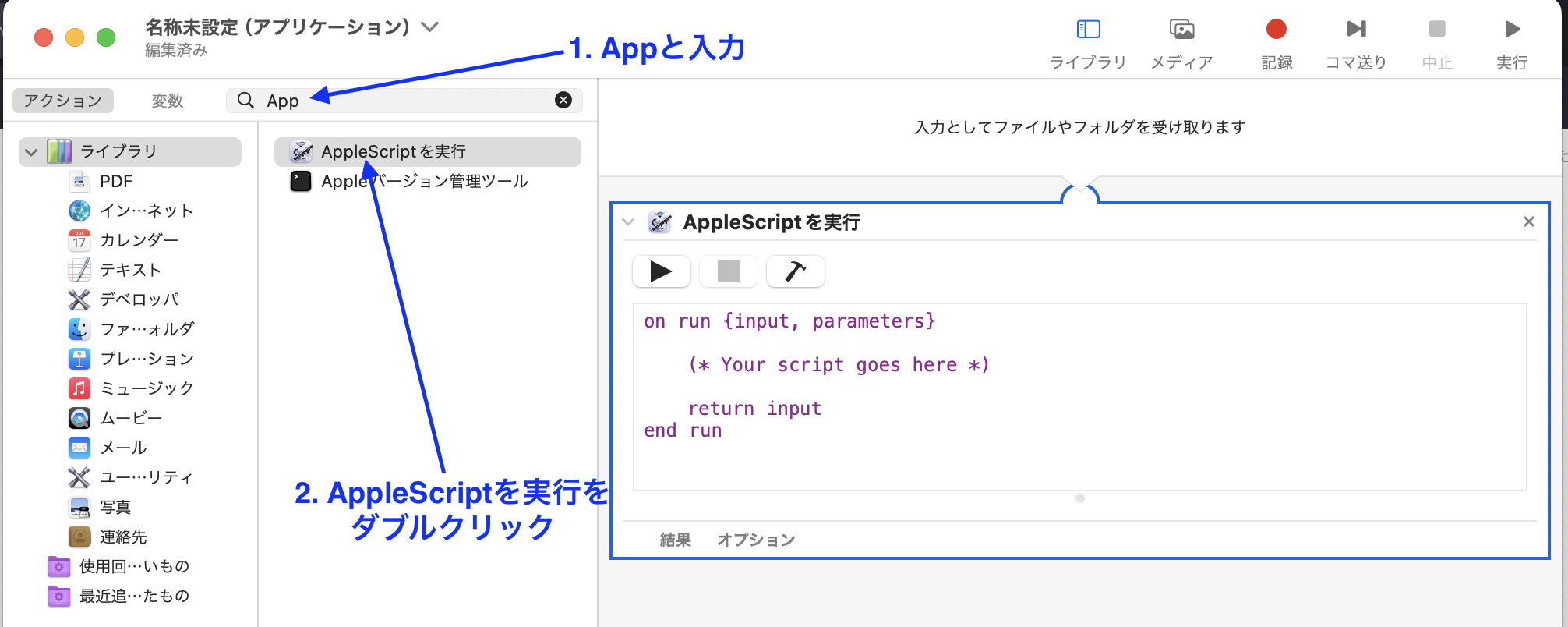
右のコード部分にこれを貼り付けます。
on run {input, parameters}
	-- 1 ----------------------------------------------------------
	tell application "Finder"
		set hfsPath to insertion location as Unicode text
		set currentFolder to get POSIX path of hfsPath
	end tell
	-- 2 ----------------------------------------------------------
	set command to "cd \\"" & currentFolder & "\\" && clear"
	-- 3 ----------------------------------------------------------
	tell application "iTerm"
		activate
		if current window = missing value then
			create window with default profile
		else
			tell current window
				create tab with default profile
			end tell
		end if
		set _current_session to current session of current tab of current window
		tell _current_session
			delay 0.5
			write text command
		end tell
	end tell
	------------------------------------------------------------
end run
Command+sでファイル名を「OpenInTerminal」にして保存します。
保存場所は「アプリケーション」にしておきます。

アプリのアイコンを変更する
こんな感じの画像をデスクトップに用意します。

アプリケーションフォルダにある
OpenInTerminal.appを右クリックして、「情報を見る」をクリックします。
用意した画像をドラッグして、Automatorのアイコン部分にドロップします。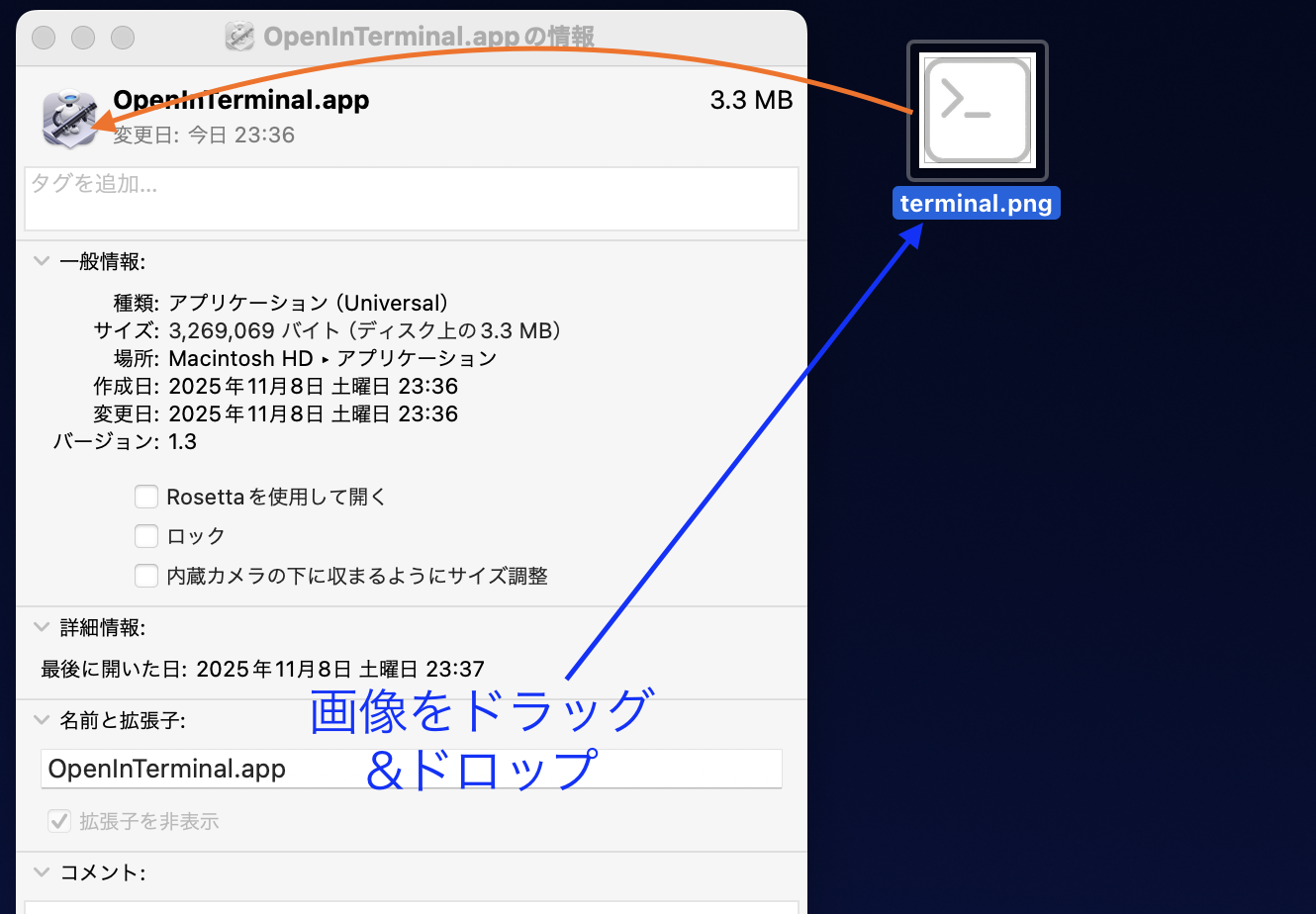
Finderにアプリのショートカットを埋め込む
最後に、
OpenInTerminal.appをワンクリックで起動できるようにFinderに埋め込みます。Finderでアプリケーションフォルダを開いて、Commandキーを押しながら
OpenInTerminal.appをドラッグして、Finderの上部にドロップします。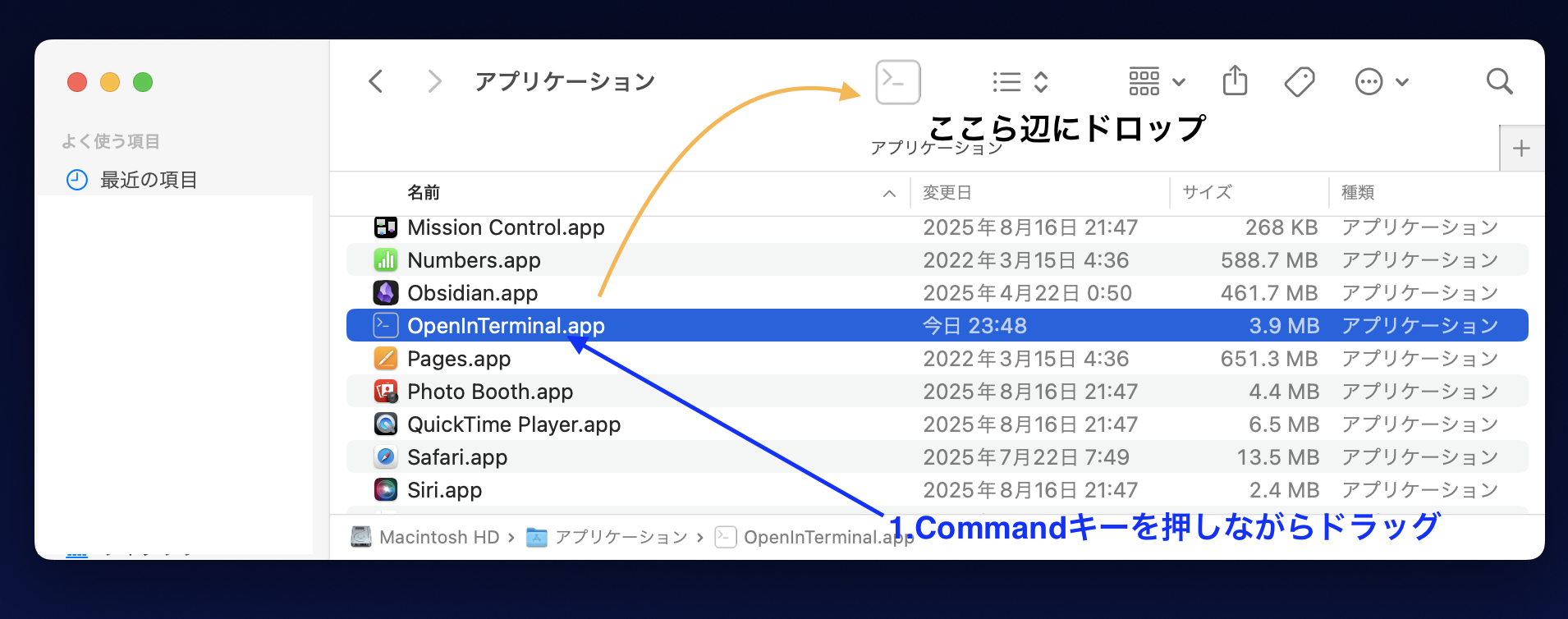
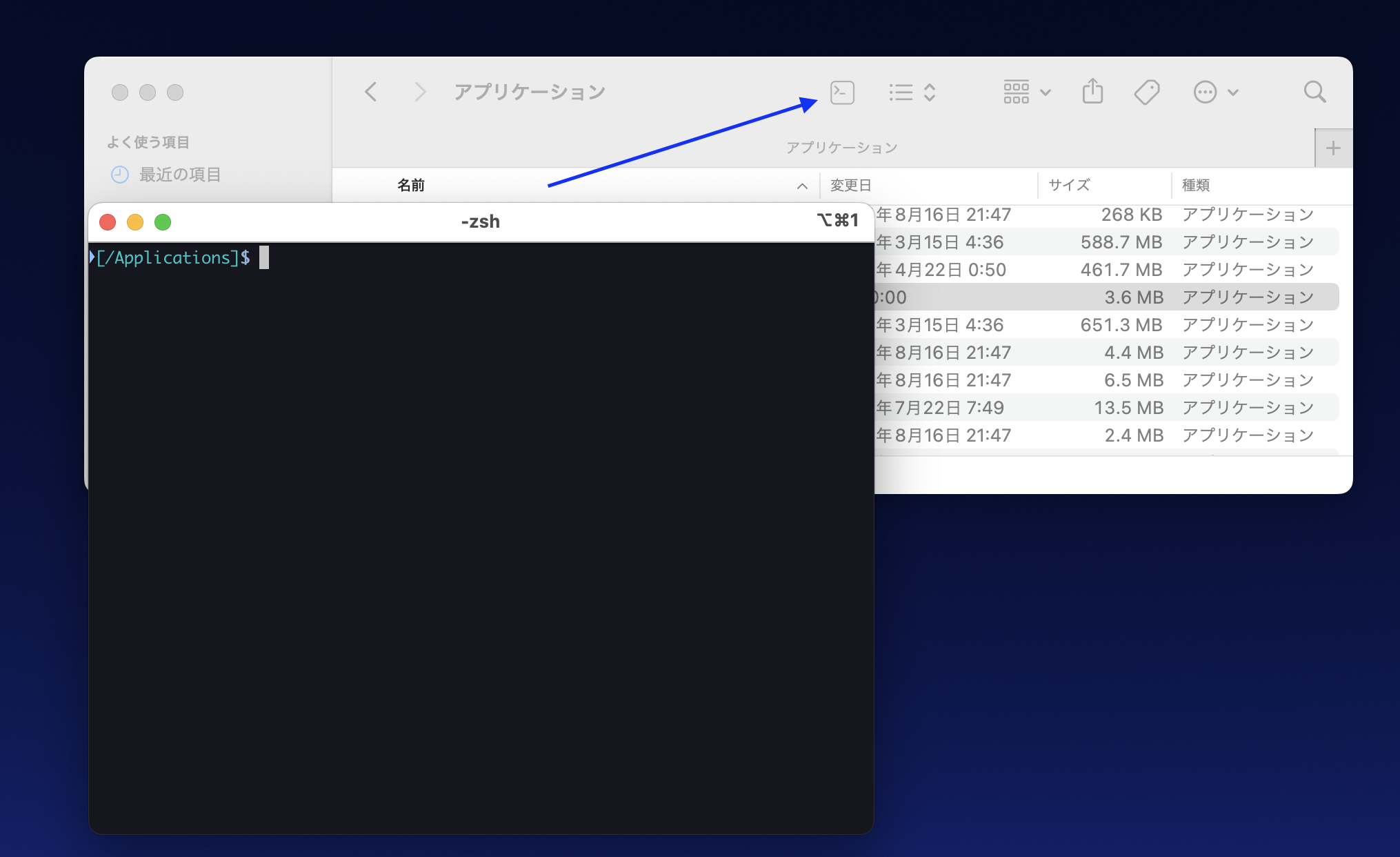
Finderのターミナルボタンを押せば、対象のフォルダがiTerm2で開きます。
まとめ
FinderからワンクリックでTerminalが開けるようになれば効率化につながります。
ぜひ活用してみてください。

Ted
大学でコンセンサスアルゴリズムを研究。卒業後ベンチャー企業に入社してフルスタックでWebサービスを開発。現在は大手IT企業に転職し、プログラミングを行っている。AIにプログラマーの仕事を奪って欲しいと願っている。